Using design strategy to evolve Session Replay into a tool that surfaces meaning over noise.
Client
Amplitude, 2025
Role
Lead Designer
Key activities
Design Strategy, Vibe Coding, Prototyping, Product Design
At Amplitude, we set out to make session replays more insightful and actionable by layering meaningful signals like frustration events, network errors, and AI-generated highlights on top of traditional replay footage. Instead of watching hours of user activity, teams can now jump directly to the moments that matter.
This initiative reshaped how our users understand and act on behavioral data, transforming long, complex replays into clear, story-like narratives.
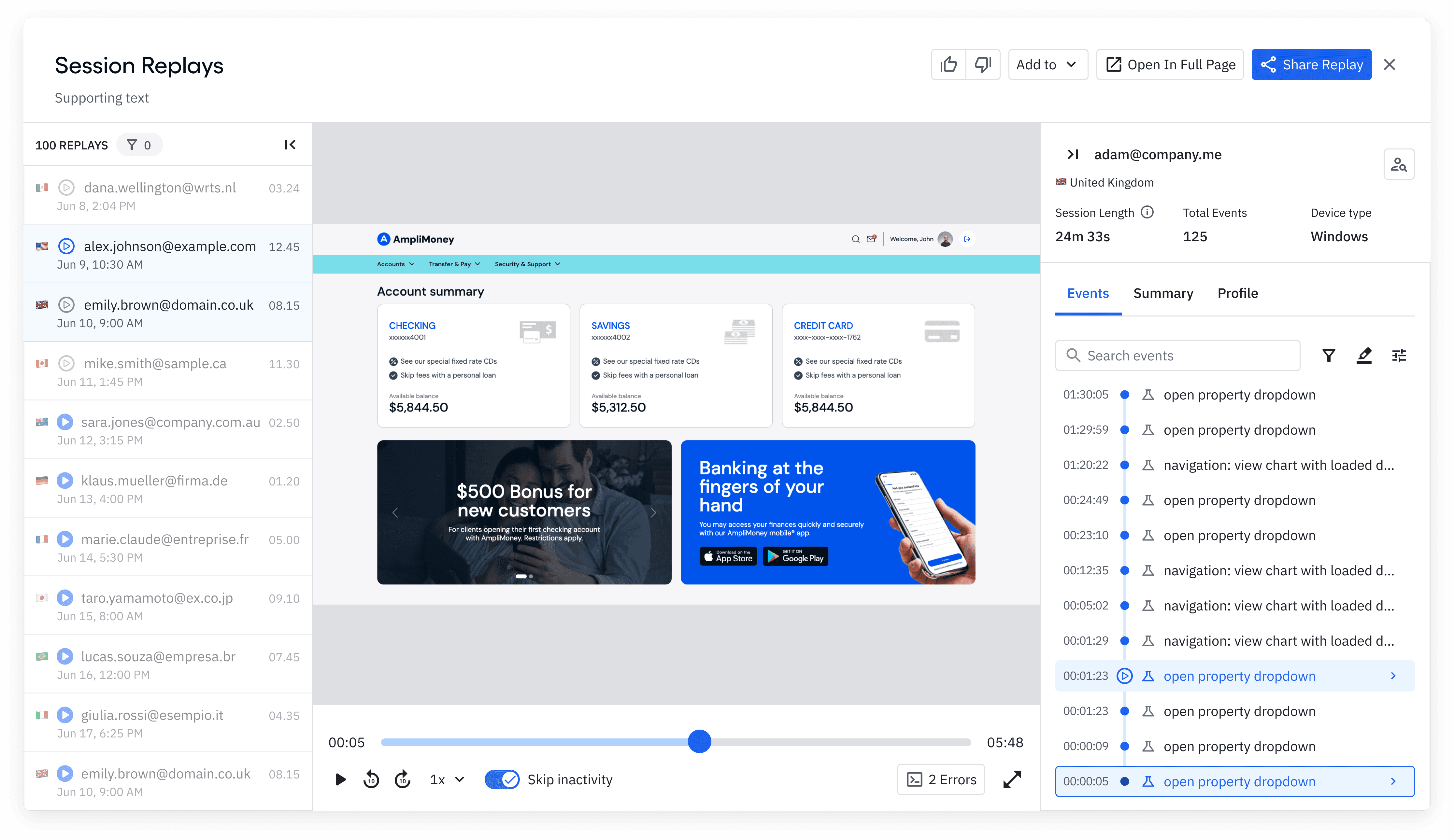
Session Replay was already a powerful tool — it let teams see user behavior in detail. But as sessions grew longer, that power turned into friction. Analysts and designers were spending too much time scrubbing through lengthy recordings, trying to find the few moments that actually explained a drop-off or frustration. The player felt dense and unintuitive, offering little guidance on where to look or what mattered most. As a result, insights took longer to surface, and adoption remained low.
The goal
Evolve Session Replay from playback to insight delivery, empowering teams to surface friction, errors, and opportunities instantly.
Before any design work began, we defined clear business outcomes to measure success. Our goals were to increase the Session Replay attach rate, raise paid organization adoption, and improve 2+ week retention.
To explore how signals could coexist within the limited space of the player, I tested several layout directions. Each aimed to balance clarity, precision, and scalability, finding a way to surface meaningful events without overwhelming users or compromising navigation.
The following explorations show how different approaches performed against that goal.
None of the approaches above felt like the right solution. Each solved something but failed to balance clarity, scalability, and simplicity.
Some made signals easy to see but difficult to navigate; others reduced clutter but lost meaning. It became clear the problem wasn’t visual styling — it was structural.
Even though these explorations weren’t the final answer, they revealed what mattered and set the foundation for the final direction.
The Final Direction
This was the first fully functional prototype I built to bring the player concept to life.
It showcased the key interactions that defined the experience:
Play and pause the scrubber
Hover over the timeline to preview events
Play and pause the scrubber
Use keyboard shortcuts for playback control
Show/hide events from the settings menu
Adjust playback speed
Skip 10 seconds backward or forward
Click markers to jump to specific moments
Beyond the Player
Unifying playback, timeline, and AI insights into one continuous experience
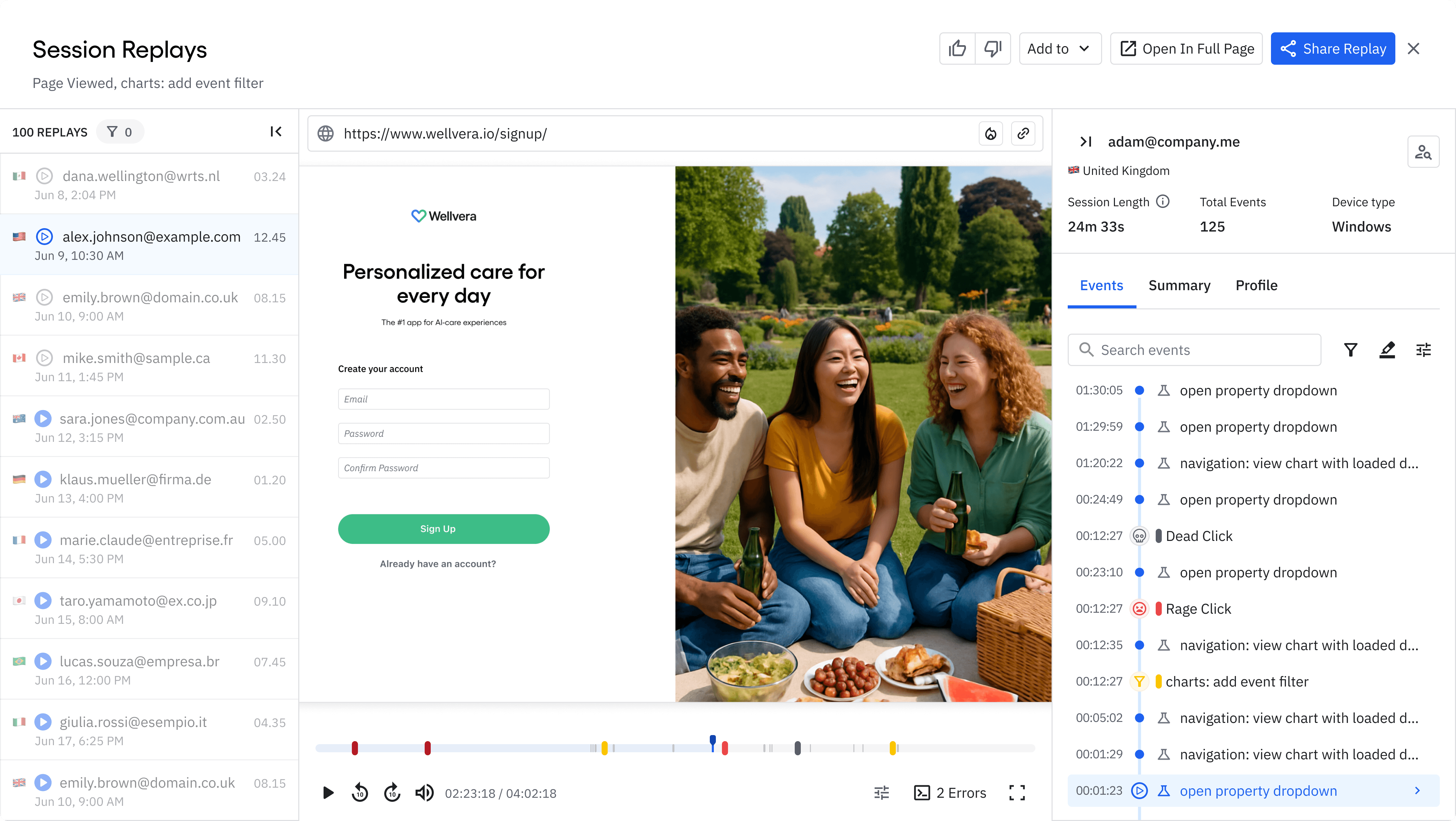
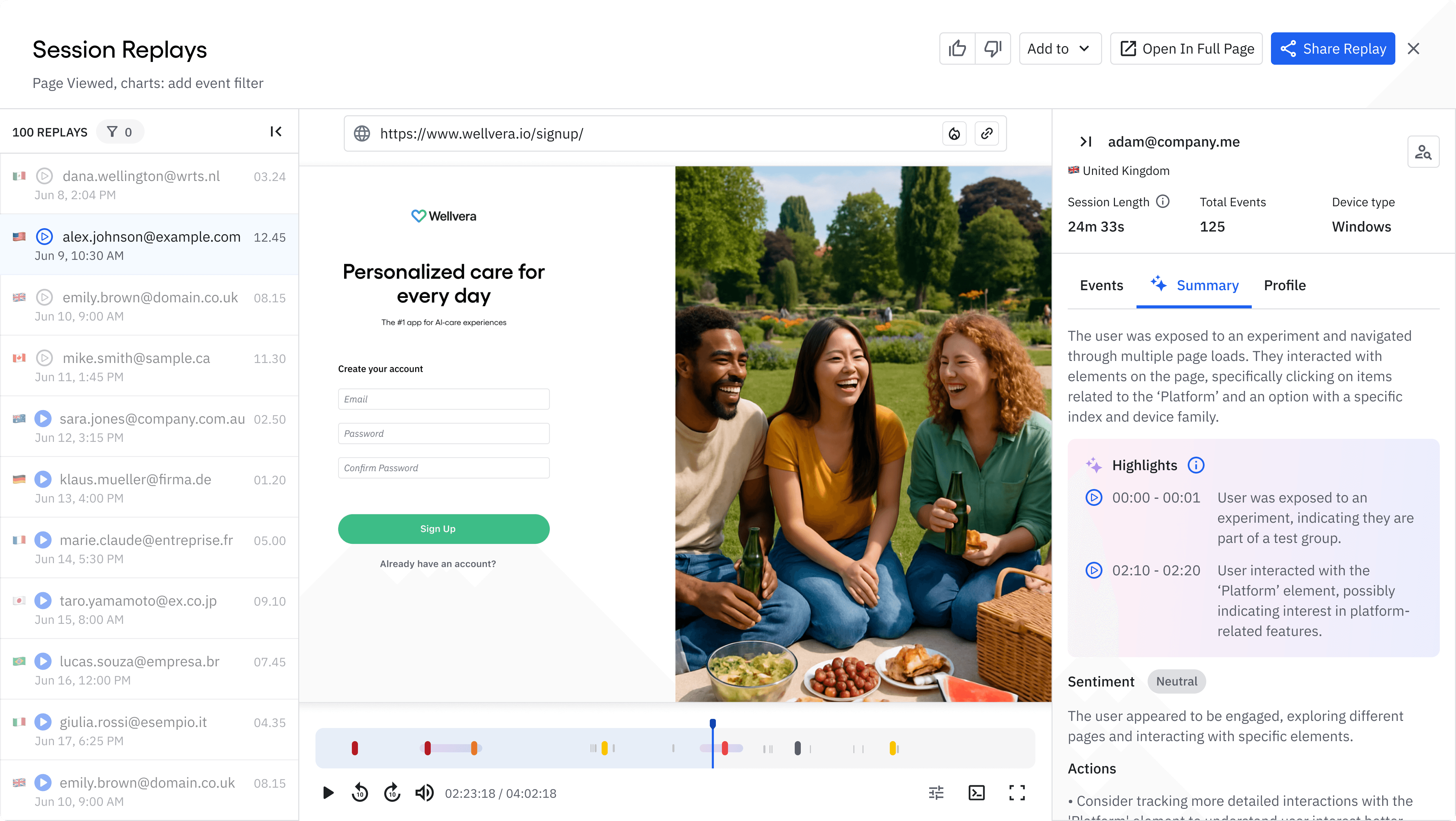
To make the signals truly useful, they also needed to appear in the surrounding parts of the Session Replay experience — especially in the Events Timeline, one of the player’s main side panels. Adding visual cues there was essential to strengthen the connection between what users saw on the playback scrubber and what they explored in the timeline. It ensured that signals like frustration or errors were instantly recognizable, no matter where users looked.
15.7%
Attach Rate
7% → 16%
71.4%
Paid Org Adoption
22% → 75%
45.3%
2+ Week Retention
40% → 45%
Although Paid Org Adoption fell short of the initial goal, the jump we achieved demonstrated that the new player was resonating with teams, especially in complex, longer-cycle organizations. It clarified where to focus next and confirmed the strategy was directionally right.