Building a feeding tracker for my dog

Building a feeding tracker for my dog

A personal project where I replaced our whiteboard with a simple feeding tracker that brought clarity, consistency, and ease to Taurus’ daily routine.

Client

Myself, 2025

Roles

Designer, Tinkerer & Builder

Key activities

Design Strategy, Interaction Design, Automation, Prototyping, 3D Modeling

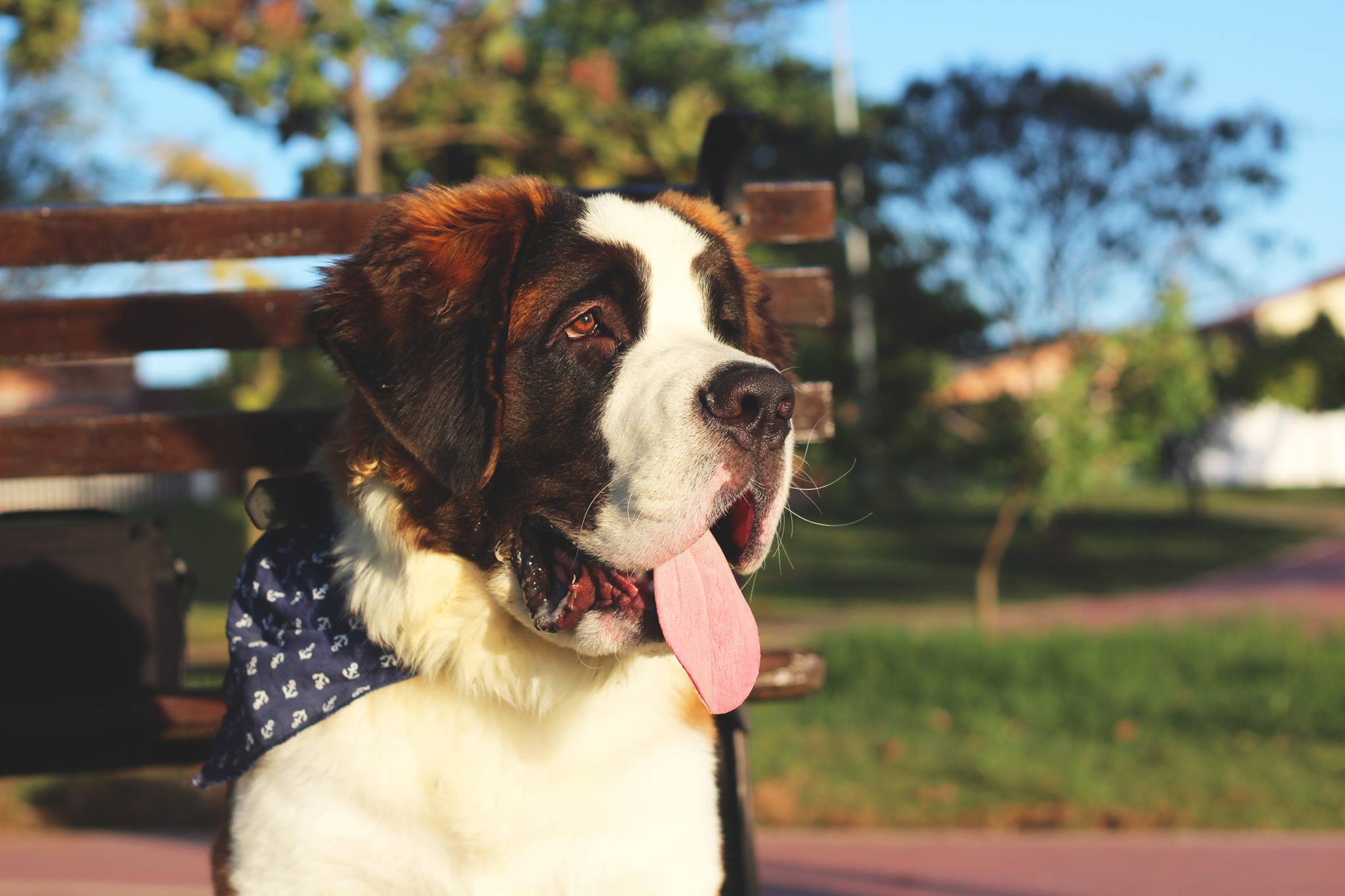
Taurus is a 10-year-old Saint Bernard (and the mascot of this website's 404 page if you haven't checked!) who survived three gastric torsions within four months. Each episode was an emergency. After the last one, he went through major surgery, and his recovery depended on a very strict feeding protocol: he needed four meals every day, always with the exact weight of food, and with intervals of about three hours.

This project became a way to bring clarity, safety, and predictability back into our routine.

The problem

A manual system was not enough for a dog who needed precision to stay healthy

Whiteboard we first used to keep track of Taurus' routine

During the first weeks my partner and I tracked everything on a whiteboard. It worked for a short time, but it quickly created new problems. We sometimes forgot to write down the meal time, which disrupted the three-hour spacing. The board took a lot of space, needed constant erasing, and was easy to overlook.

Taurus’ recovery required perfect timing, and any shift in his feeding rhythm could affect his digestion and comfort.
Who's a good boy?

The goal

Create a simple and reliable way to track Taurus’ meals so we could keep his feeding routine consistent without adding extra stress to our day

My definition of success was simple: eliminate uncertainty, reduce errors, and make logging effortless enough that neither of us would forget. Therefore, the work focused on:

Consistency: keeping the four daily meals spaced correctly.

Reliability: reducing mistakes like forgetting a meal or feeding twice.

Shared clarity: giving both of us one place to check what happened and what comes next.

Ease of use: replacing the whiteboard with something clearer and calmer.

The goal

Create a simple and reliable way to track Taurus’ meals so we could keep his feeding routine consistent without adding extra stress to our day

My definition of success was simple: eliminate uncertainty, reduce errors, and make logging effortless enough that neither of us would forget. Therefore, the work focused on:

Consistency: keeping the four daily meals spaced correctly.

Reliability: reducing mistakes like forgetting a meal or feeding twice.

Shared clarity: giving both of us one place to check what happened and what comes next.

Ease of use: replacing the whiteboard with something clearer and calmer.

The goal

Create a simple and reliable way to track Taurus’ meals so we could keep his feeding routine consistent without adding extra stress to our day

My definition of success was simple: eliminate uncertainty, reduce errors, and make logging effortless enough that neither of us would forget. Therefore, the work focused on:

Consistency: keeping the four daily meals spaced correctly.

Reliability: reducing mistakes like forgetting a meal or feeding twice.

Shared clarity: giving both of us one place to check what happened and what comes next.

Ease of use: replacing the whiteboard with something clearer and calmer.

Challenge #1

Make sure the technical foundation was stable enough to track Taurus’ meals every day without losing data or slowing down our devices

Before designing anything, I needed to confirm that the tools and hardware were reliable for daily use. I had an unused iPad at home, had been curious about Home Assistant for a while, and learned about wireless buttons that could help us log feeding times. These pieces felt like the right starting point, but I needed to test whether they could work together in a predictable way.

No major performance issues were identified during tests

I installed Home Assistant on a virtual machine on my Windows PC and spent two weeks testing. I checked how the interface performed on the tablet, whether the system affected my PC’s performance, and if the database stayed intact after restarts. These tests also helped me understand how Home Assistant behaved, how persistent the data was, and how stable the setup felt in real life.

Challenge #1

Make sure the technical foundation was stable enough to track Taurus’ meals every day without losing data or slowing down our devices

Before designing anything, I needed to confirm that the tools and hardware were reliable for daily use. I had an unused iPad at home, had been curious about Home Assistant for a while, and learned about wireless buttons that could help us log feeding times. These pieces felt like the right starting point, but I needed to test whether they could work together in a predictable way.

No major performance issues were identified during tests

I installed Home Assistant on a virtual machine on my Windows PC and spent two weeks testing. I checked how the interface performed on the tablet, whether the system affected my PC’s performance, and if the database stayed intact after restarts. These tests also helped me understand how Home Assistant behaved, how persistent the data was, and how stable the setup felt in real life.

Challenge #1

Make sure the technical foundation was stable enough to track Taurus’ meals every day without losing data or slowing down our devices

Before designing anything, I needed to confirm that the tools and hardware were reliable for daily use. I had an unused iPad at home, had been curious about Home Assistant for a while, and learned about wireless buttons that could help us log feeding times. These pieces felt like the right starting point, but I needed to test whether they could work together in a predictable way.

No major performance issues were identified during tests

I installed Home Assistant on a virtual machine on my Windows PC and spent two weeks testing. I checked how the interface performed on the tablet, whether the system affected my PC’s performance, and if the database stayed intact after restarts. These tests also helped me understand how Home Assistant behaved, how persistent the data was, and how stable the setup felt in real life.

Challenge #2

Create a single, clear place where we could instantly understand Taurus’ entire feeding routine

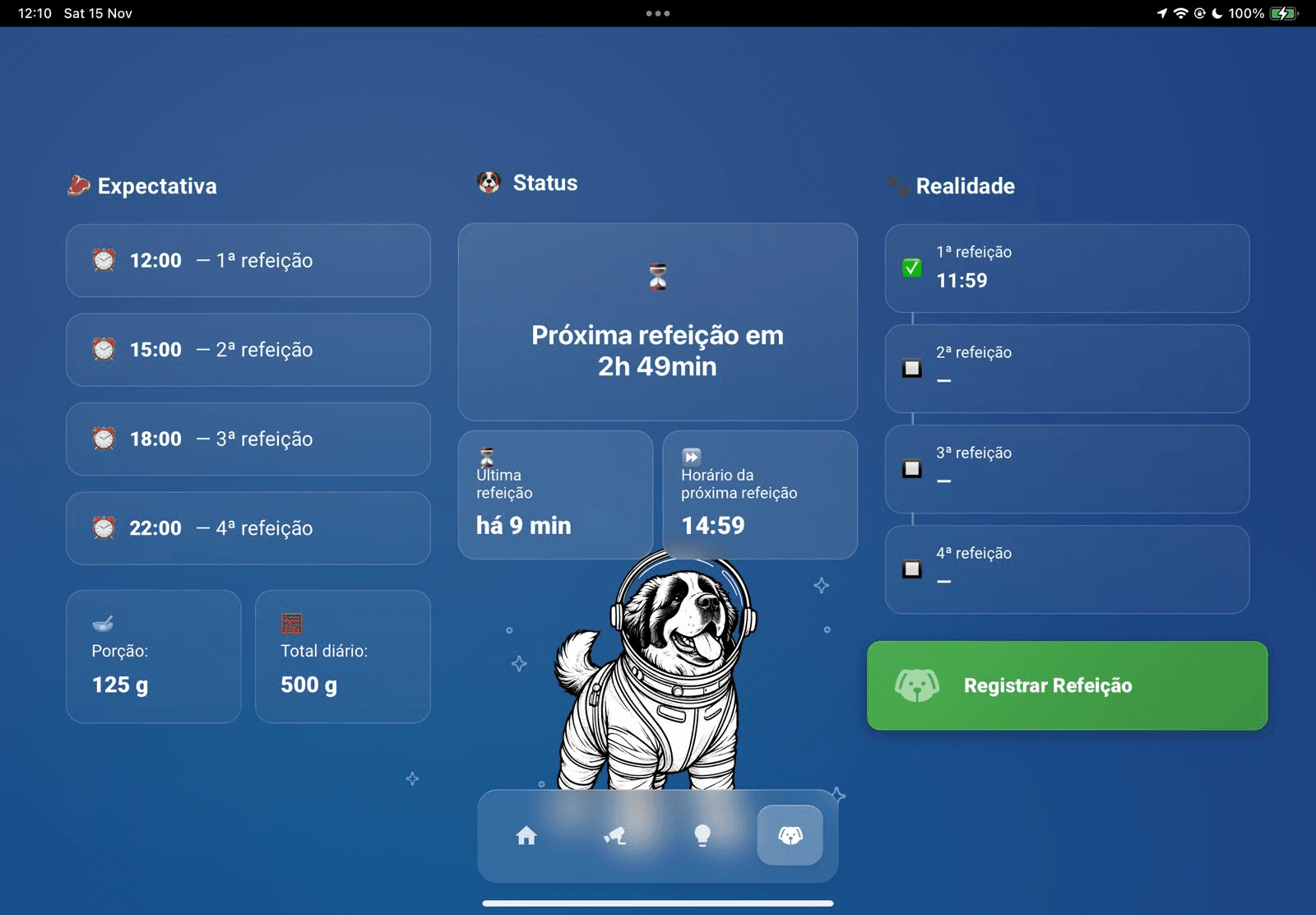
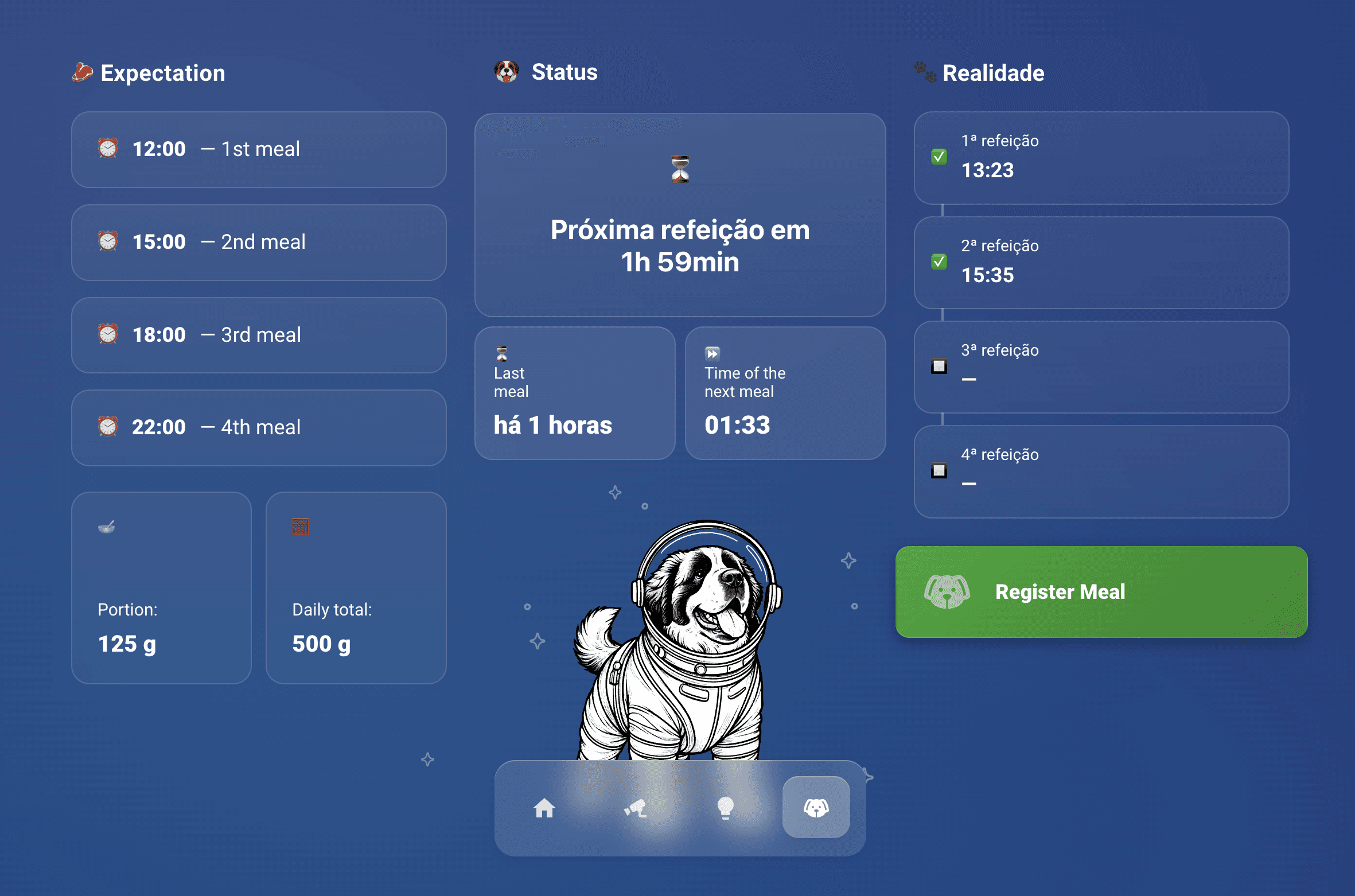
With the technical setup validated, I moved on to designing the interface we would use every day. I needed something that replaced the whiteboard and made the entire routine easier to follow. The dashboard showed Taurus’ daily schedule, how much he should eat per meal, the total for the day, his last feeding time, how long it had been, and when the next meal would happen. A brief daily history made it easy to confirm that everything was on track.

Taurus' dashboard on Home Assistant

Challenge #2

Create a single, clear place where we could instantly understand Taurus’ entire feeding routine

With the technical setup validated, I moved on to designing the interface we would use every day. I needed something that replaced the whiteboard and made the entire routine easier to follow. The dashboard showed Taurus’ daily schedule, how much he should eat per meal, the total for the day, his last feeding time, how long it had been, and when the next meal would happen. A brief daily history made it easy to confirm that everything was on track.

Taurus' dashboard on Home Assistant

Challenge #2

Create a single, clear place where we could instantly understand Taurus’ entire feeding routine

With the technical setup validated, I moved on to designing the interface we would use every day. I needed something that replaced the whiteboard and made the entire routine easier to follow. The dashboard showed Taurus’ daily schedule, how much he should eat per meal, the total for the day, his last feeding time, how long it had been, and when the next meal would happen. A brief daily history made it easy to confirm that everything was on track.

Taurus' dashboard on Home Assistant

Once the layout felt right, I introduced a wireless button as the main way to log real feeding times. The idea was simple: right after feeding Taurus, we could press the button and Home Assistant would instantly record the event.

The button solved a behavior issue I had anticipated: Taurus was fed in a different room than the one the iPad was going to be located, so walking back to the iPad to log could turn the project pointless.

A designer's touch

To make the tracker easier to use in our daily routine, I added a few elements that brought clarity and personality to the interface. The goal was not only to display information, but to communicate it in a way that felt intuitive at a glance.

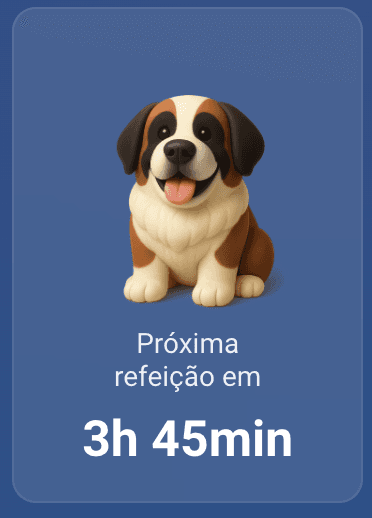
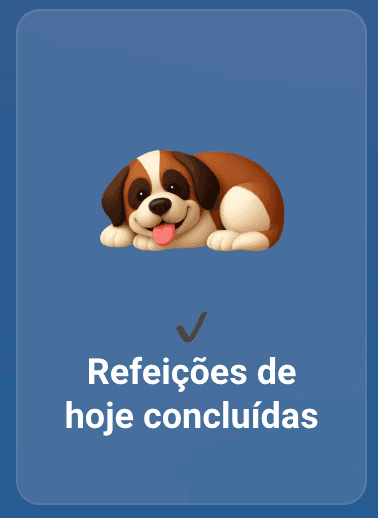
I created different illustrations of Taurus that changed based on his feeding status, which helped us understand his day without reading numbers or timestamps.
A little surprise when it’s mealtime
When it is time to feed Taurus, the dashboard fills the screen with his paws and a peek of his face. It is an unmistakable cue that his next meal is due.
Most of this was coded with the help of ChatGPT, which allowed me to quickly create custom logic and interactions even though I am not a developer. This mix of design and lightweight engineering made the dashboard feel thoughtful and expressive, instead of just functional.

Most of this was coded with the help of ChatGPT, which allowed me to quickly create custom logic and interactions even though I am not a developer. This mix of design and lightweight engineering made the dashboard feel thoughtful and expressive, instead of just functional.

Most of this was coded with the help of ChatGPT, which allowed me to quickly create custom logic and interactions even though I am not a developer. This mix of design and lightweight engineering made the dashboard feel thoughtful and expressive, instead of just functional.

The aftermath

A small project for Taurus slowly became the starting point for organizing our whole home.

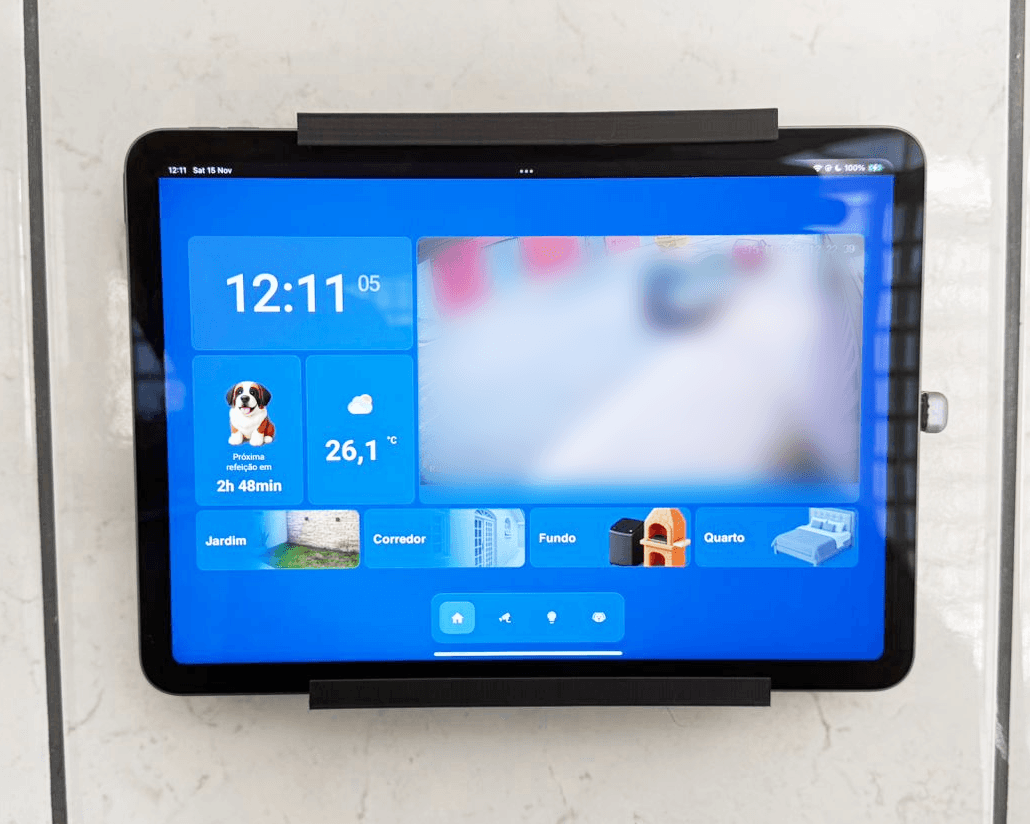
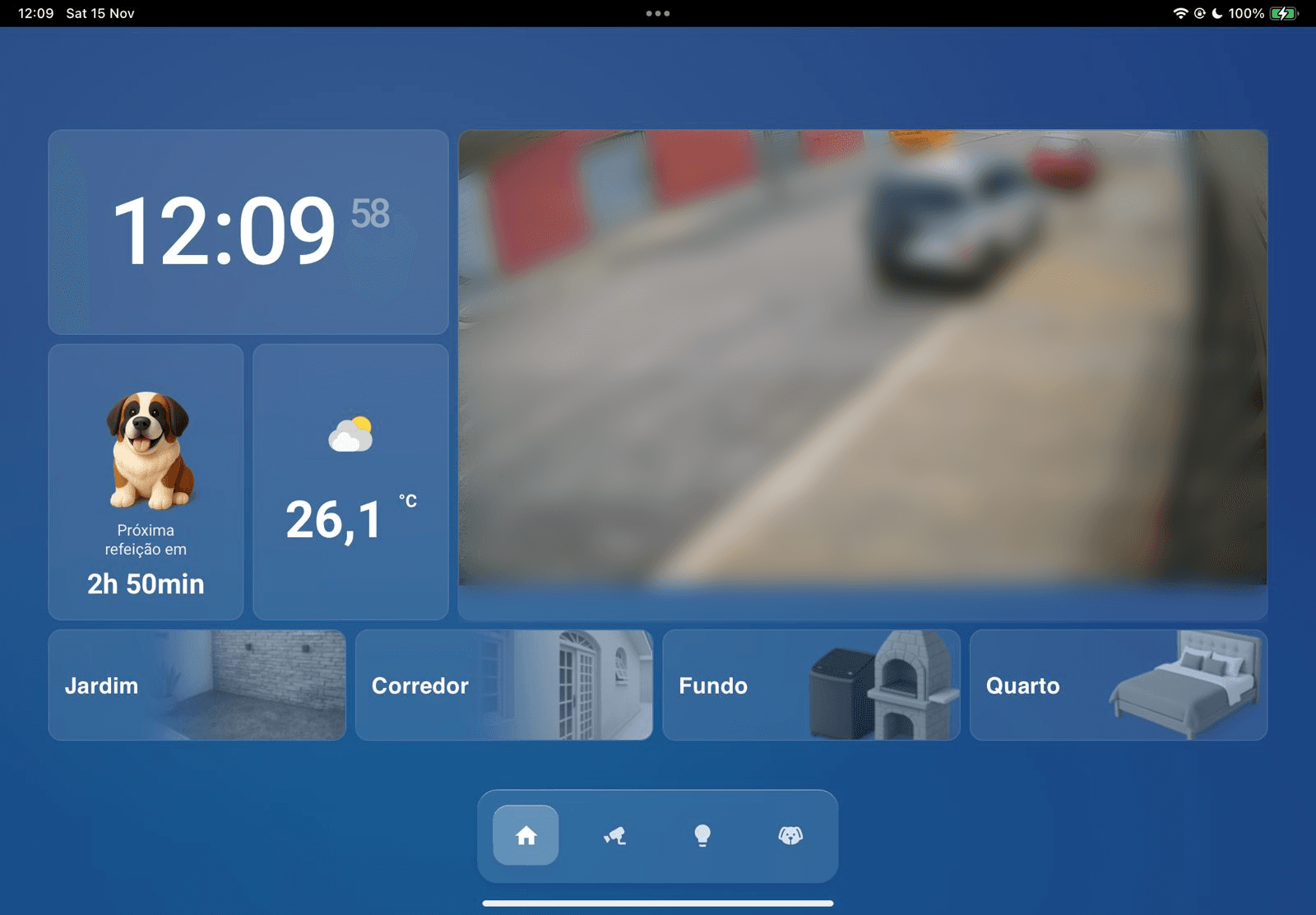
Once the feeding tracker was stable, the iPad naturally became the place where I checked information throughout the day. Since it was always on and always accessible, it made sense to use it for more than just Taurus. I gradually extended the dashboard to bring other parts of the house together.

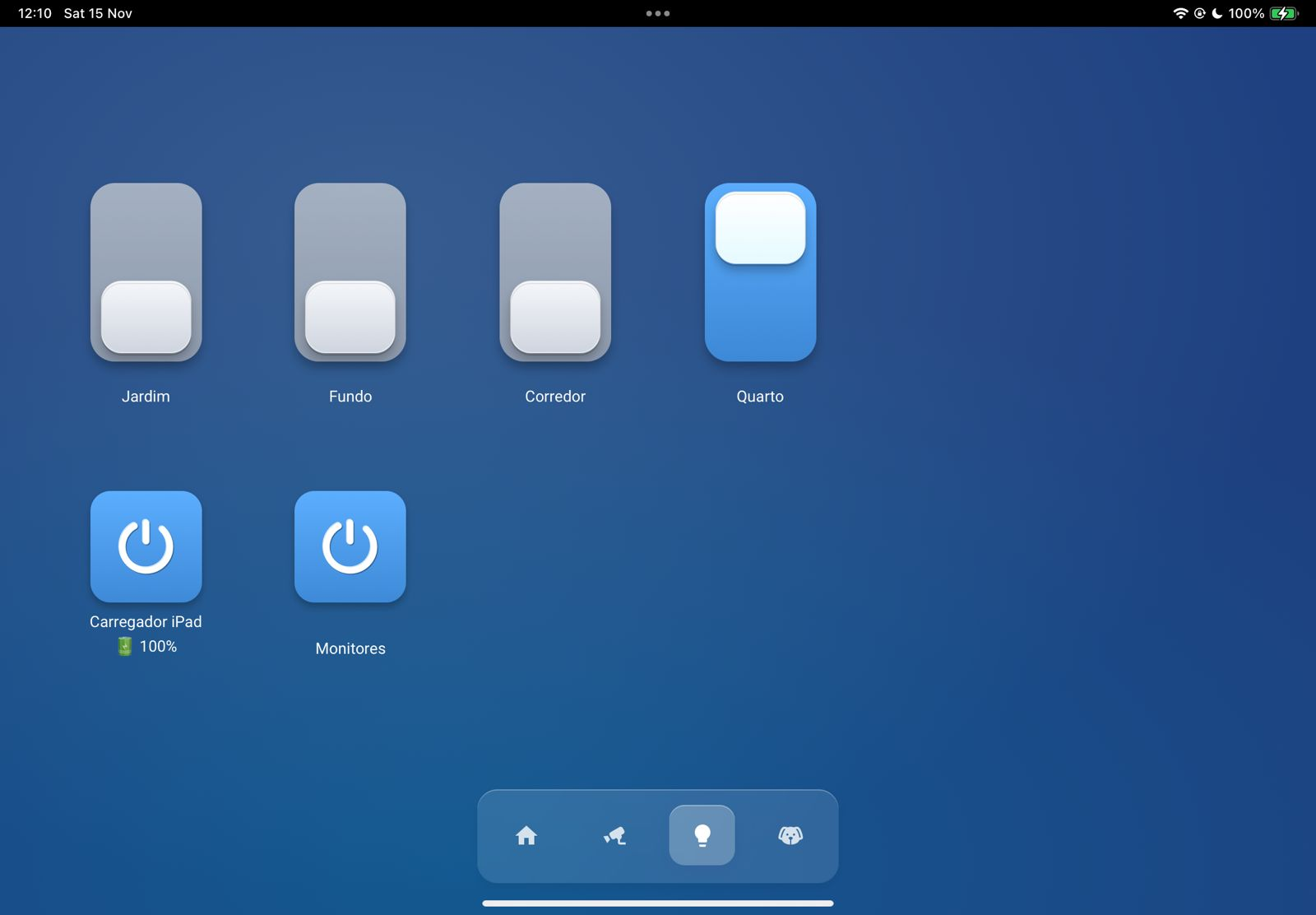
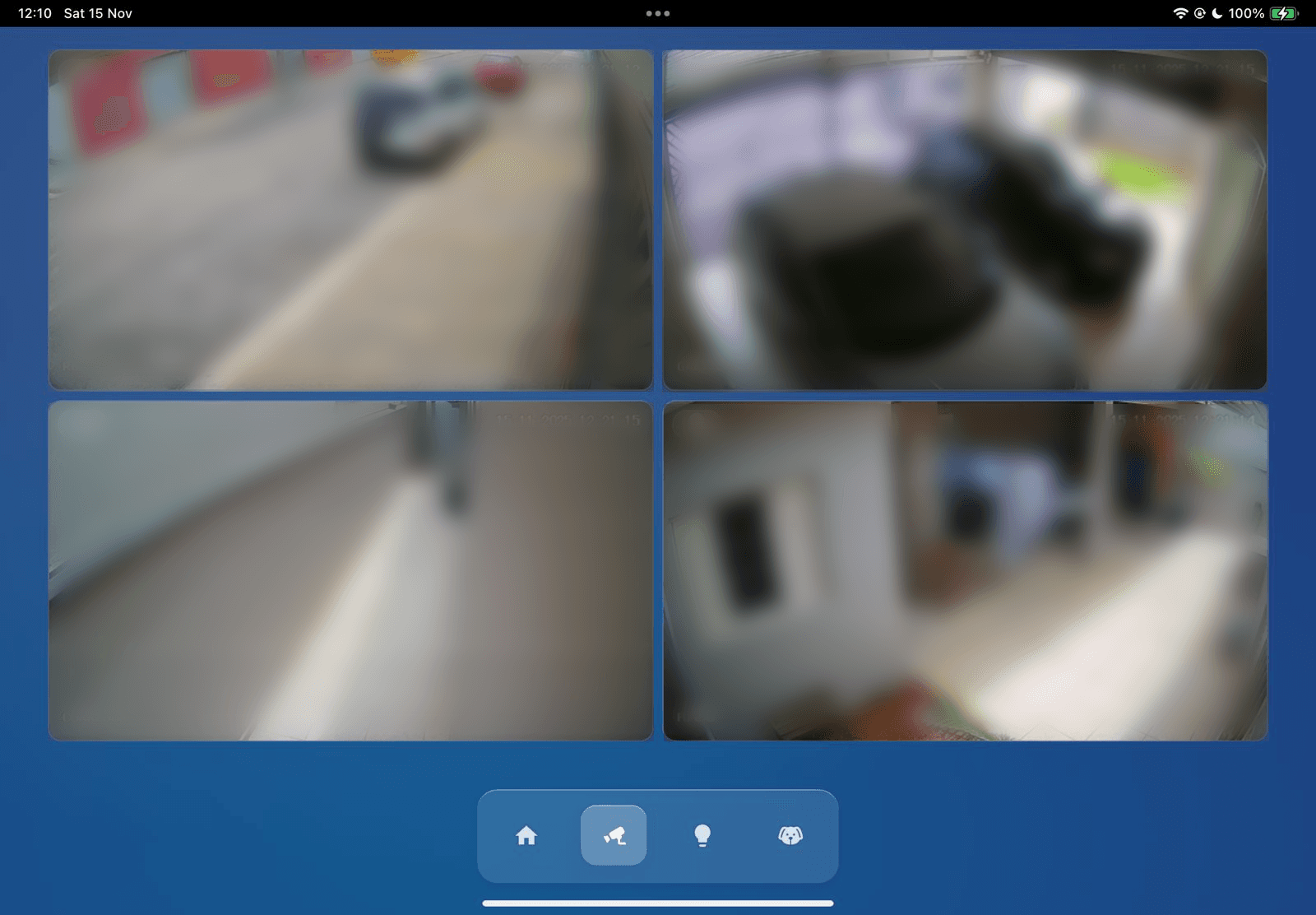
I connected our security cameras so we could see the outside areas from the same screen. I added the smart switches we had in the external corridor, laundry room, and garden, which made these spaces easier to control.

The aftermath

A small project for Taurus slowly became the starting point for organizing our whole home.

Once the feeding tracker was stable, the iPad naturally became the place where I checked information throughout the day. Since it was always on and always accessible, it made sense to use it for more than just Taurus. I gradually extended the dashboard to bring other parts of the house together.

I connected our security cameras so we could see the outside areas from the same screen. I added the smart switches we had in the external corridor, laundry room, and garden, which made these spaces easier to control.

The aftermath

A small project for Taurus slowly became the starting point for organizing our whole home.

Once the feeding tracker was stable, the iPad naturally became the place where I checked information throughout the day. Since it was always on and always accessible, it made sense to use it for more than just Taurus. I gradually extended the dashboard to bring other parts of the house together.

I connected our security cameras so we could see the outside areas from the same screen. I added the smart switches we had in the external corridor, laundry room, and garden, which made these spaces easier to control.

A new skill (and hobby) is born

This project sparked a new hobby and pushed me to learn 3D printing and modeling to create a custom wall mount for the dashboard

Once the dashboard became part of our daily life, I wanted it to feel like it truly belonged in the kitchen. None of the wall mounts I found online fit the space or matched the look I had in mind. Instead of compromising, I decided to build one myself.
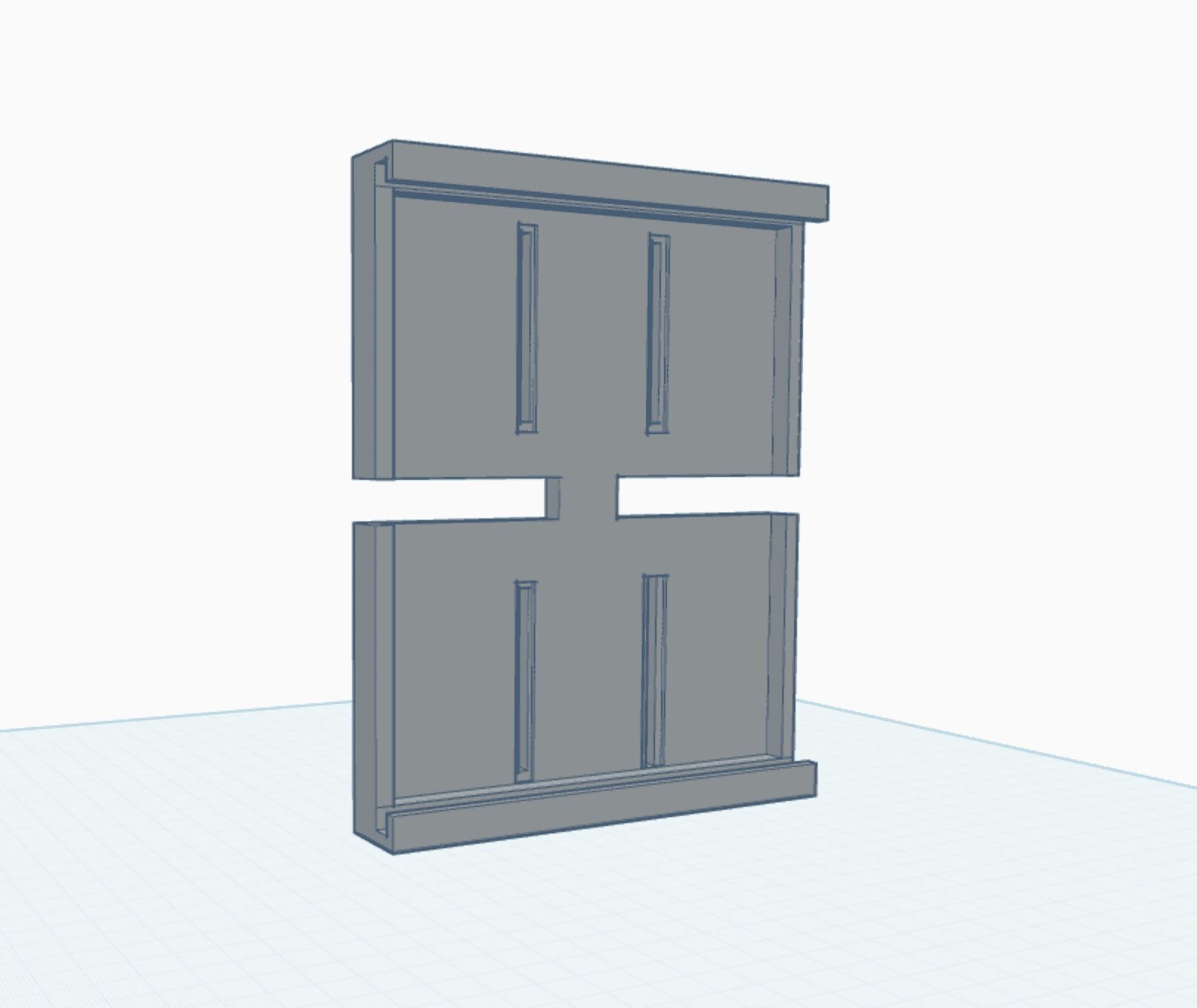
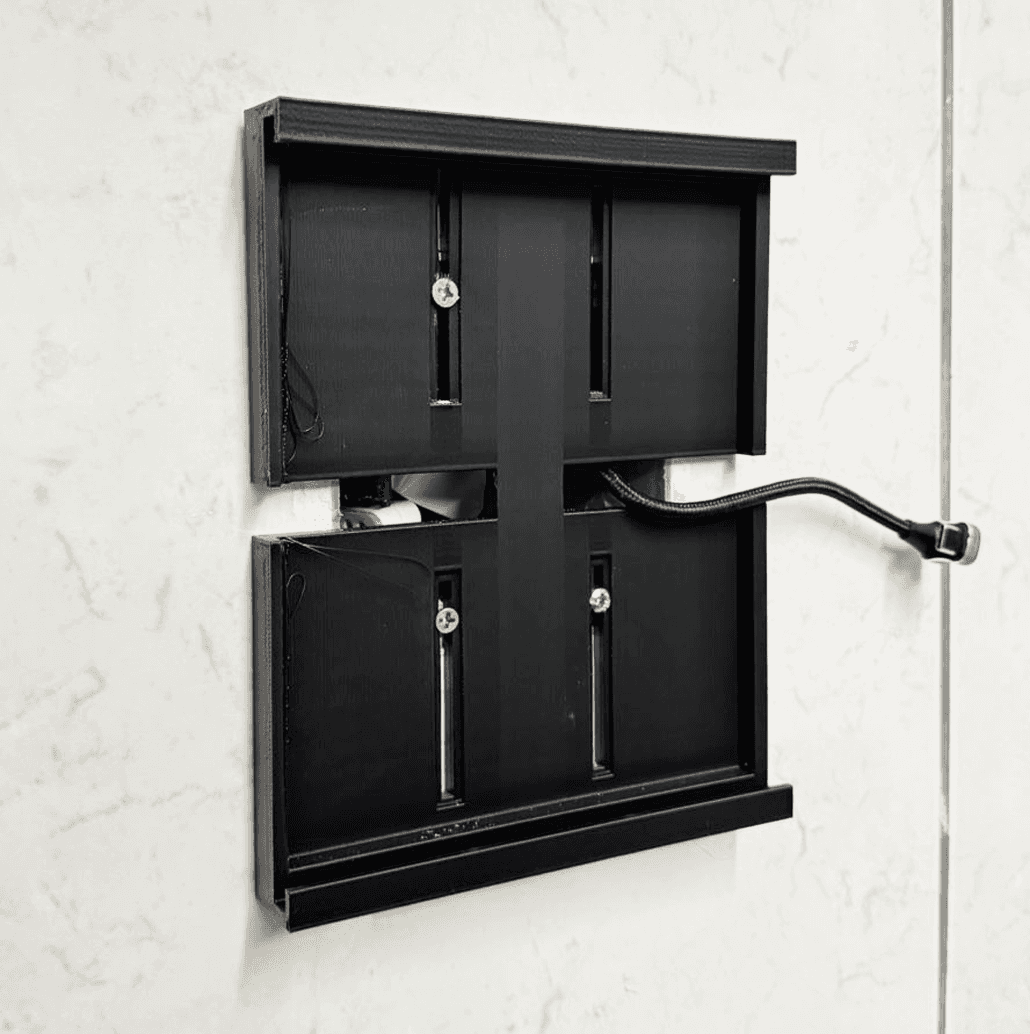
This led me to buy a 3D printer and learn the basics of 3D modeling from scratch. I experimented with different shapes, measured tolerances, and printed several prototypes until everything clicked into place. The final design holds the iPad firmly, hides cables cleanly, and blends with the rest of the room.

This led me to buy a 3D printer and learn the basics of 3D modeling from scratch. I experimented with different shapes, measured tolerances, and printed several prototypes until everything clicked into place. The final design holds the iPad firmly, hides cables cleanly, and blends with the rest of the room.

This led me to buy a 3D printer and learn the basics of 3D modeling from scratch. I experimented with different shapes, measured tolerances, and printed several prototypes until everything clicked into place. The final design holds the iPad firmly, hides cables cleanly, and blends with the rest of the room.

The impact

We regained peace of mind knowing Taurus’ meals were always logged, spaced, and on schedule.

What started as a way to keep his feedings consistent turned into something much larger. The dashboard removed the stress of managing a medically sensitive routine and gave us a clear view of his day. Along the way, I learned how to build automations, model and print hardware, and design an interface that lives in our home. The project improved Taurus’ comfort and brought more calm and predictability into our daily life, while also expanding my own skills in unexpected ways.

The impact

We regained peace of mind knowing Taurus’ meals were always logged, spaced, and on schedule.

What started as a way to keep his feedings consistent turned into something much larger. The dashboard removed the stress of managing a medically sensitive routine and gave us a clear view of his day. Along the way, I learned how to build automations, model and print hardware, and design an interface that lives in our home. The project improved Taurus’ comfort and brought more calm and predictability into our daily life, while also expanding my own skills in unexpected ways.

The impact

We regained peace of mind knowing Taurus’ meals were always logged, spaced, and on schedule.

What started as a way to keep his feedings consistent turned into something much larger. The dashboard removed the stress of managing a medically sensitive routine and gave us a clear view of his day. Along the way, I learned how to build automations, model and print hardware, and design an interface that lives in our home. The project improved Taurus’ comfort and brought more calm and predictability into our daily life, while also expanding my own skills in unexpected ways.

Next up

Get in
touch

RUBENSCASTRO

Get in
touch

RUBENSCASTRO

Get in
touch

RUBENSCASTRO